


 BizSpace Portal
 Payroll Portal
 Supply Chain Financing
POS Payment
Empower your business with our Point of Sale (POS) payment solution. Easily accept digital payments, including MPU, WavePay, Visa, and Mastercard, using a simple and reliable POS terminal device. Enhance convenience for your customers while ensuring secure and efficient transactions for your business.
Choose the Perfect Payment Solution for Your Business
Key Features & Benefits


Accept Digital Payments Easily
Securely and conveniently process MPU, QR Payment, Visa, Mastercard, and
other digital payment methods
for your customers.

QR Payment (On POS) Integration
Enable customers to make hassle-free payments by scanning the QR code on your POS machine. Compatible with WavePay, Yoma Bank Next Application, and MMQR-Compatible Apps.

Seamless and Secure Transactions
Simplify payment processes for
merchants and business owners with
a reliable solution that enhances
the digital payment experience.
Requirements to apply for POS Merchant
- Merchant Contract: Sign and execute the Merchant Agreement.
- Onboarding Form: Complete the Merchant Onboarding Form.
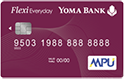
- Settlement Account: Open a Yoma Bank Flexi Everyday Account.
- WavePay Merchant Account: Open a WavePay Merchant Account to accept QR payments.
- Account Opening Docs: Provide required ID/registration documents based on entity type (Personal/SME/Corporate).
- KYM Verification: Submit as per Know Your Merchant (KYM) requirements,Submit business license(s) (e.g., Company License, Business License, or RCDC License).

Before you apply, please review the following information:
POS Payment
The SMILE POS system simplifies payment processes, making them faster and more efficient. By leveraging digital payment solutions, businesses can enhance operational efficiency and take a step forward in achieving greater success.
Adopt the SMILE POS system today and empower your business with the convenience of modern digital payment solutions!
POS Payment allows merchants and shop owners to accept digital payments such as MPU, QR Payment, Visa, and Mastercard using just one Point of Sale (POS) terminal. Additionally, QR Payment (On POS) can also be utilized, enabling customers to use not only their WavePay and Yoma Bank Next applications but also, during the trial period of MMQR, other PAY APPS like AYA PAY, KBZ PAY, and OK$ PAY APP customers can scan the QR code on the SMILE POS device to make payments. After the trial period of MMQR, payments will also be possible with other PAY APPS authorized by the Central Bank of Myanmar.
| Category | Available Features & Services Descriptions |
| POS Terminal Capabilities | Core Transactions: Sales, Void, Refund, and Pre-Authorization Receipt Management: Re-Print Reconciliation: Settlement Reporting: Summary Report and Detail Report Cash Out: Disburse cash directly from the terminal |
| QR Payment Options | Scan-to-Pay: WavePay and Next APP users can make instant payments by scanning the terminal’s QR code. Wave Status Check: Allows instant verification of WavePay transaction success directly on the POS side. MMQR Trial Access: Customers can also scan the Smile POS-generated QR code using AYA PAY, KBZ PAY, and OK$ PAY APPs to complete payments. |
| Merchant Portal | Real-Time Tracking: Monitor live transaction flows as they happen. Advanced Reporting: Access and download automated merchant settlement reports and detailed transaction analysis reports. Website Link: Merchant Portal |
| Merchant Services & Settlement | Card Settlements: Flexible settlement to your Yoma Bank Flexi Everyday Account, offering 30-minute intervals, same-day processing, or next-day (T+1) options. QR Settlements: Real-time, immediate settlement directly to your WavePay Merchant App upon transaction completion. Unrestricted Withdrawals: Make unlimited cash withdrawals from your Yoma Bank Flexi Everyday Account without any restrictions. Dedicated Support: Comprehensive after-sales assistance provided by our professional Merchant Support Team. |
POS Payment
Frequently Asked Questions
The limit for MPU Card payments is up to 10,000,000 kyats per transaction.
For Visa and Mastercard, the limits are determined according to the specifications set by the respective card issuers (the banks that issue the cards).
To become a POS merchant, you must sign a Merchant Contract.
The salesperson will explain the applicable MDR% (Merchant Discount Rate) for the merchant, including for MPU, Visa, Mastercard, and QR, which will also be detailed in the contract.
You will need to fill out the necessary information in the Merchant Onboarding Form.
You must open a Yoma Flexi Everyday Account, which may be either Personal or Corporate, and the required documents will be requested.
After completing the merchant onboarding, practical training will be provided to the merchant on how to use the POS system with installation will be carried out.
There are no costs to be paid by the merchant for the POS device.
For sales transactions made with MPU cards, there are two options for settlement: a 30-minute settlement or a same-day settlement at 11 PM daily. The merchant can choose their preferred settlement option. Depending on the selected settlement type, the applicable MDR% will be deducted, and the net amount will be credited to the merchant’s Yoma Bank Flexi Everyday Account.
For sales made with Visa and Mastercard, the merchants will do the settlement on the POS terminal themselves, and the funds will be credited to the merchant’s Yoma Bank Flexi Everyday Account on the next business day (T+1), after deducting the applicable MDR%.
For QR payment sales, the settlement amount will be credited in real-time to the WavePay Merchant App immediately after a successful transaction, with the MDR% deducted. The merchant can then transfer funds to their linked Yoma Bank Flexi Everyday Account at any time.
Merchants can verify the settlement amount using Yoma Mobile Banking and the Yoma Bank Next App. Merchants can withdraw cash from their Flexi Everyday Account at any nearby bank branch without restrictions. Real-time settlements for QR transactions can also be viewed directly through the WavePay Merchant App, where necessary reports can be generated.
(Note: Settlements provided on a T+1 basis will only be processed on business working days, excluding Saturdays, Sundays, and public holidays. For these non-working days, settlements will be made on the next business day, including the amounts from the holidays.)
Support includes providing necessary paper rolls, SIM cards, and SIM data for the POS device, depending on the merchant’s location. Additionally, the Merchant Support Team offers product training, guidance on using the POS machine, and instructions for the WavePay Merchant App if further assistance is needed.
Merchants can also access their transaction data in real-time through the Merchant Portal, where they can view settlement reports and transaction analysis reports as well. There are no fees required from the merchant for receiving after-sale support.
If merchants encounter any difficulties, the Merchant Support Team is available to assist during business hours. They can also reach out to the Yoma Bank Customer Care Center for 24/7 supports, and inquiries can be made via the Yoma Bank Facebook Page Messenger as well.
You may also be interested in

Fees & Charges
The information in the attached sheet is for customers’ reference with regard to…

Export Services
Our experienced international trade finance team will help you achieve your international export…

Import Services
Our experienced international trade finance team will help you achieve your international import…